steamの空の軌跡 The 1stのクリアデータを置いておきます。
こちらを該当フォルダにおくことにより、強くてニューゲームが可能となります。
c:\ユーザー\ユーザ名\Saved Games\Falcom\Trails in the Sky 1st Chapter\savedata
https://ppp.oohara.jp/download/steam_soranokiseki_The_1st_cleardata.7z
Category Archives: 未分類
falcom ogg 簡易プレイヤーのgithub変更
こちらに変更となります。
前のパスワード忘れてしまったため。
https://github.com/chacha-src/Falcom_BGM_Player_And_Media_Player
Qullusrent3 Ver 2.643f2
主な変更点
雪ステージと、スクラップステージのエフェクト変更
ゲームそのものは変更してません。
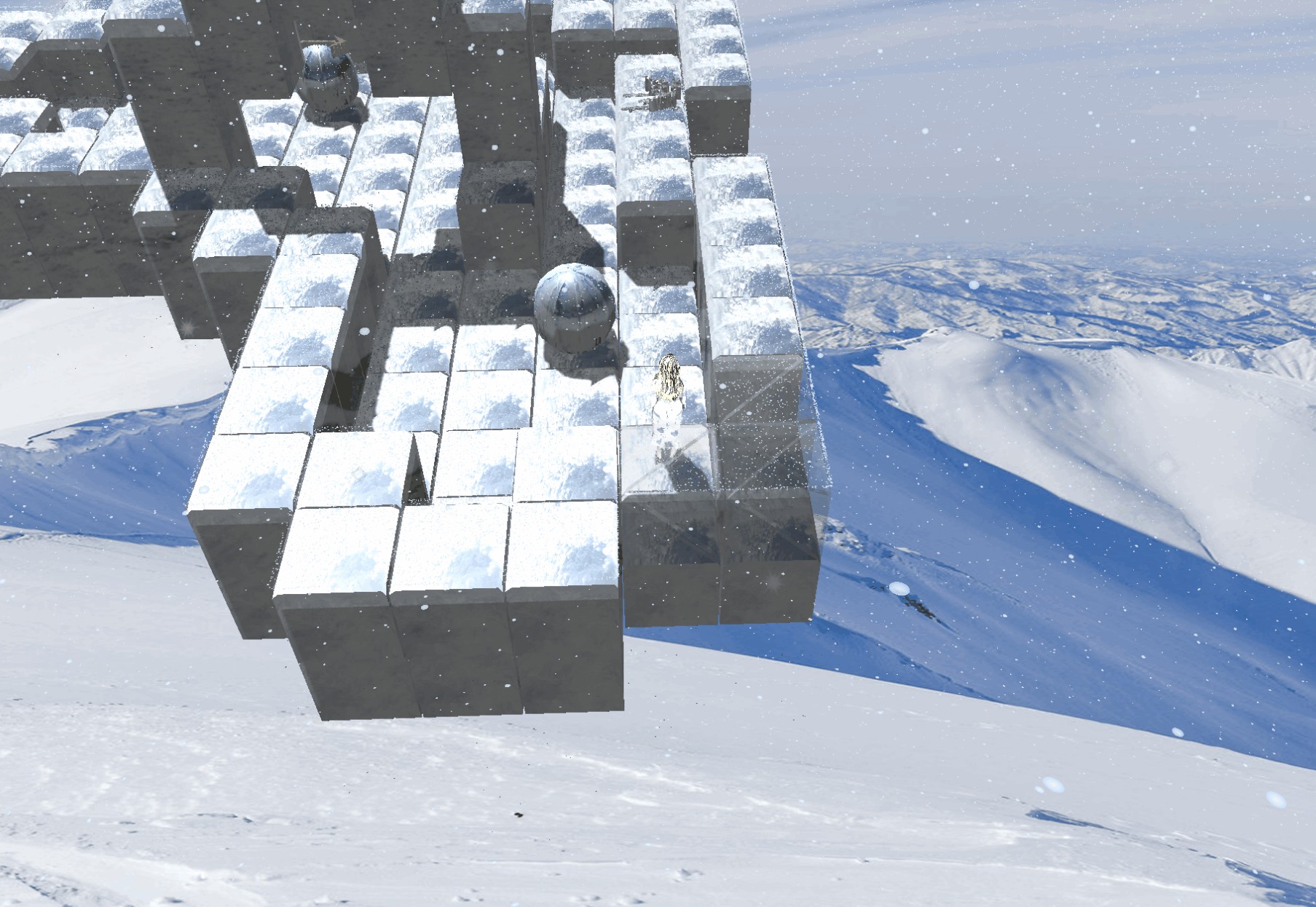
・雪ステージ
雪が舞うようにしてあります。そして、地面に積り、一定量溜まると雪崩を起こすようになってますが、結構時間かかるので、そこまで見る人は少ないでしょう。
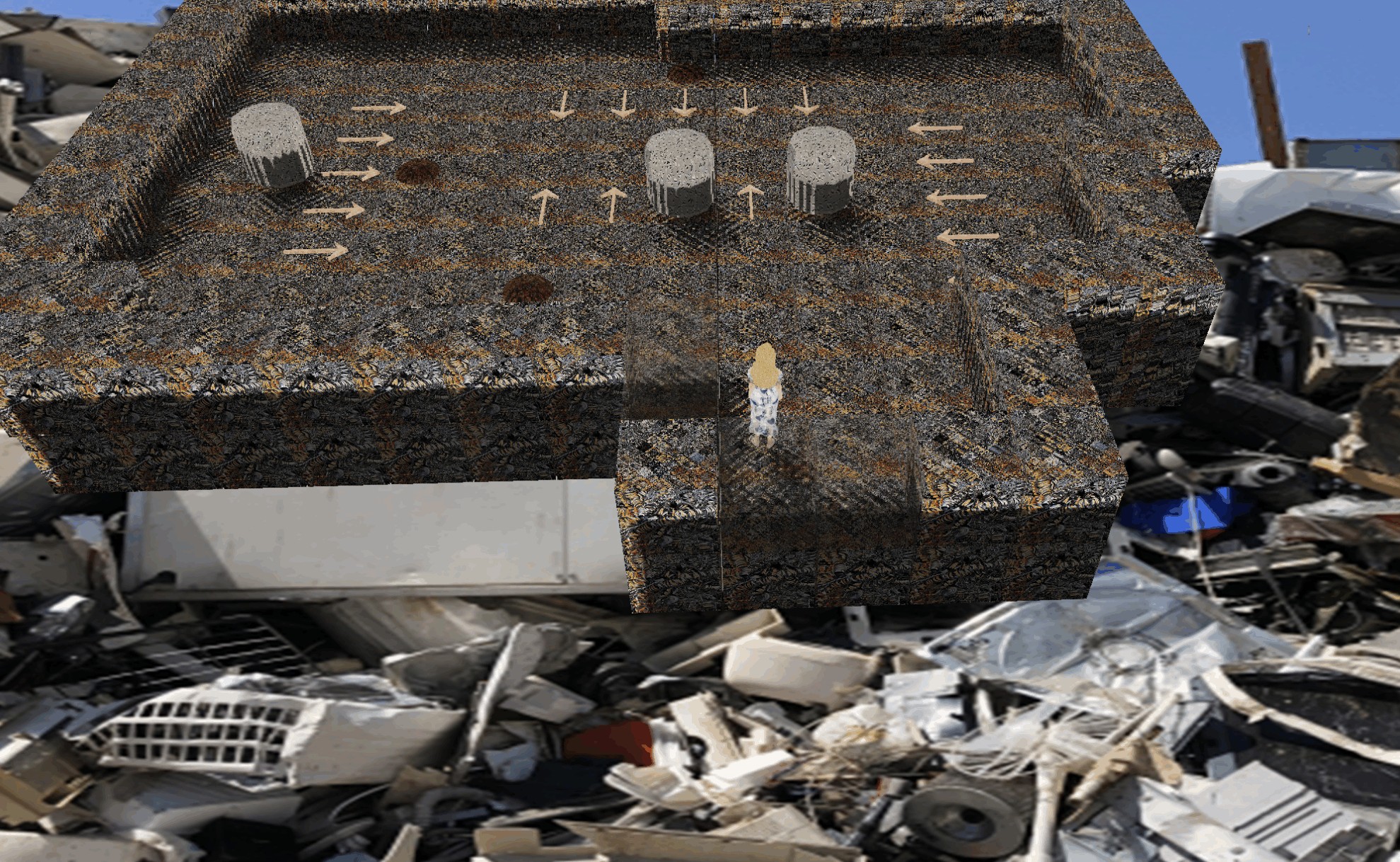
・スクラップステージ
火花とショートのエフェクトから思い切り変更。
見づらかったので、SF風のオイル海とブラックホールっぽいエフェクトに。
win11 25H2でのネットワークの低下 TCPスタック不安定
win11 25H2でまだ直っていない重要な問題にTCPスタックの不安定がある。
これによりWAN側での速度低下が起こっている。
私の環境で、fast.comの速度計測をしたところ、
上がり速度が1.8GBくらいで止まった。何度ためしてもこれ以上いかない。
しかし、USBにubuntu Liveをいれて起動し、同じくfastで計測したら、上がり速度が2.8GBくらい出た。
ということは間違いなくwin11が悪さしていると考えて良いだろう。
下りはnetsh interface tcp set global autotuninglevel=で変えていけばそのPCとプロバイダにあった値で設定できるが、
上がりは変動型のため、
netsh int tcp set supplemental template=internet congestionprovider=
でctcpやcubicなどに変更する必要がある。
しかし、この変動のところに問題が潜んでいてきちんと拡張できていないのが今回の原因だと言われている。
でもってこの送信幅は、自動的にOSが判断するため、手動で変更するコマンドも方法も提示されていない。
つまりはここを直して貰わないと上がりの速度はどれだけ頑張っても全く出ないのである。
Qullusrent3 DirectX11 リファイン版公開! steamとDL Siteにて。 / Refine Ver. Release
Qullusrent3 DirectX11版をリリースしました。
Steamには恐らくすぐに公開されると思います。
DL Siteは承認下りたら出るでしょう。
あとは紹介動画を作らないといけないかな。
体験版/demo version
https://ppp.oohara.jp/download/Qullusrent3_multi_language_version_trial.zip
youtube
https://youtu.be/q6NCZW7xXVQ
Qullusrent3 DirectX11 version has been released.
It should be available on Steam very soon.
DL Site will likely be available once it gets approved.
I guess I’ll need to make an introduction video next.
Qullusrent3 DirexctX Refine版
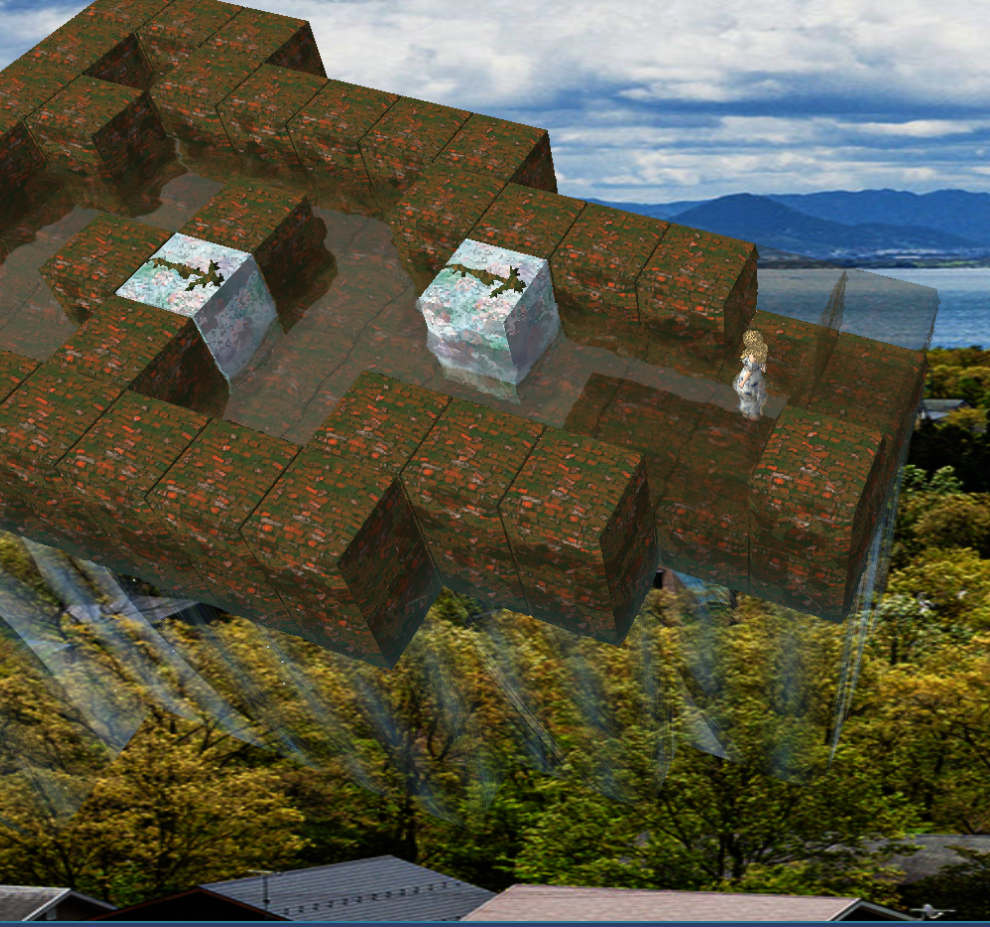
レンガステージのリファイン完了版です。
Qullusrent3 DirextX11版リファイン中
Qullusrent3 DirextX11版リファイン中です。
特にグラフィックスエンジンとか使わず作っているので、非常に苦労中。
今現在7個あるステージモードの内、3つまでリファイン完了。
すべてのステージモードで違うエフェクトを入れたいので、時間かかってます。
そして、クリスタルパレスや海中マップがステージ101以降110までしかでてこないので、通常マップの方へのステージマップデータをいじって織り交ぜる予定。
ステージ10までの体験版をステージ11に変更し、10,11にそれを持ってくる予定。
1~2週間で1ステージってところなので、全7ステージ行おうと思うとまだまだ掛かります。
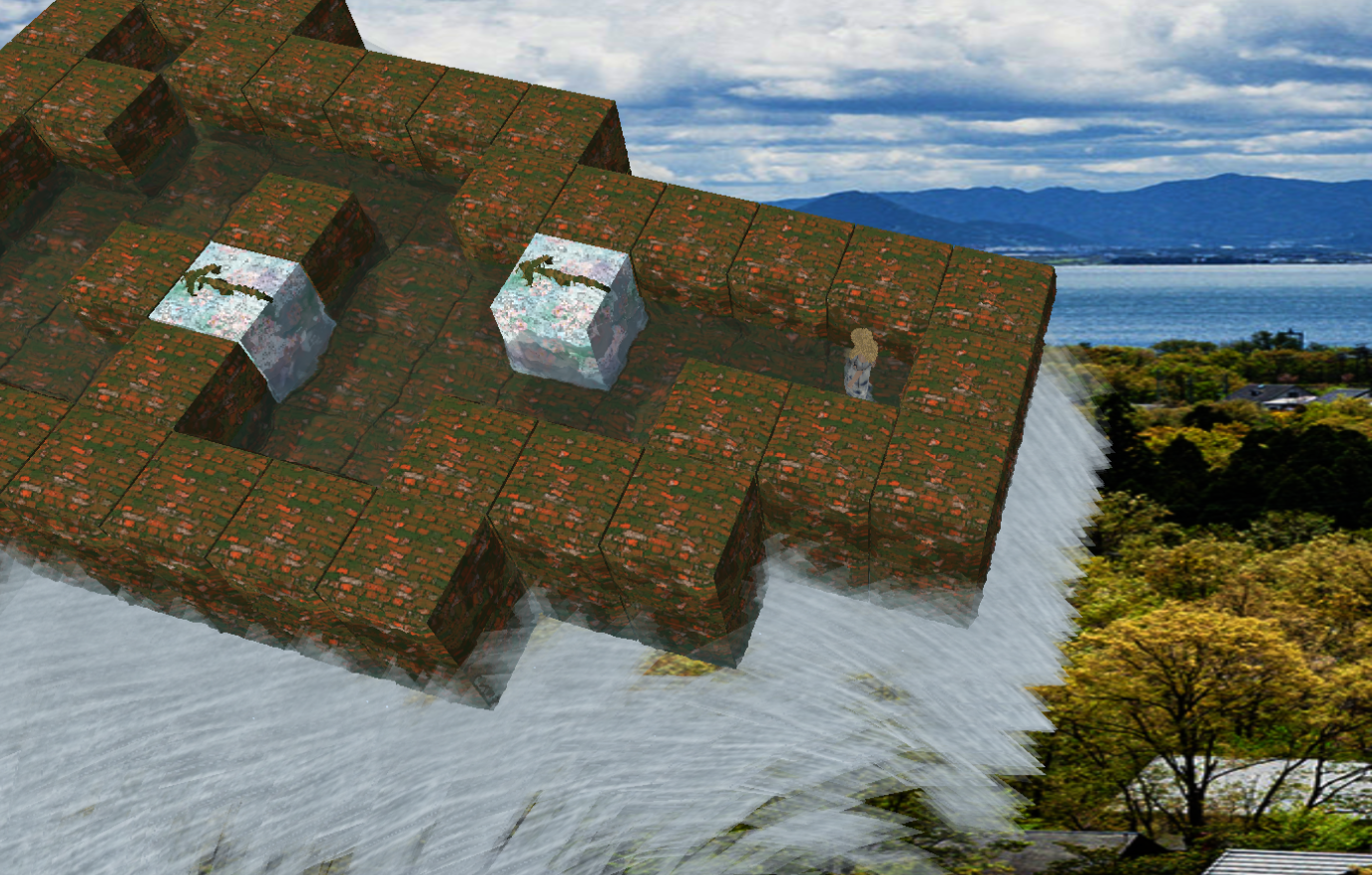
レンガステージ(ステージ2のリファイン版)です。この後、まだ最終ディティール版と移る予定。
Qullusrent3 DirectX 11 version is currently being refined.
Since it is being developed without using a graphics engine, it is proving to be quite challenging.
Out of the seven stage modes currently available, three have been refined so far.
It is taking time because I want to incorporate different effects for each stage mode.
Additionally, since Crystal Palace and the underwater map only appear from stage 101 to 110, I plan to modify the stage map data for the regular maps and interweave them.
I intend to change the demo version up to stage 10 to stage 11 and bring it to stages 10 and 11.
It takes about 1–2 weeks per stage, so completing all 7 stages will still take some time.
This is the brick stage (a refined version of Stage 2). After this, we plan to move on to the final detail version.
Qullurent3 update
Qullusrentのsteam版、更新しました。
日本語環境以外のOSで実行するとテクスチャーの半分くらい正常に読み込めない問題を修正しました。
その他、微調整を行いました。
steam版以外は変更ありません。
—
Qullusrent’s STEAM version has been updated.
Fixed a problem that half of the textures could not be loaded properly when run on non-Japanese operating systems.
Other minor adjustments have been made.
No changes except for the steam version.
GMC-OPLMNがほしいわけだが、、、
g.i.m.i.cの第6弾「GMC-OPLMN」が欲しいわけだが、、、、生産終了かー。
譲ってくれる人いないものかのぉ、、、。
どうやら2024年にはWindows 12は来ない模様
まずWindows 11 24H2が2024年の年次機能アップデートとなることをWindows Insider Blogで発表し、Windows 11は年1回のアップデートサイクルに従い、下半期にリリースされる。
そしてリークサイトでは、2025年も新バージョンのWindowsはこないと予想されている。
マイクロソフトは、Windowsプラットフォームをこれ以上分断したくないのだろうというのが見解の様子。
2024年2月でWindows10が67%、リリースから3年経つWindows11が28%とWindows11が伸び悩んでいるのもあるのかしれない。
ライセンスの問題に関しては、
リーク筋の見方では、Windows10からWindows11は無償。
これと同じようにWindows11からWindows12へも無償になる可能性がある。
もしかするとWindows10から直接Windows12へのアップグレードモードが設けられる可能性があるかもしれない。
とのこと。
※あくまでリークサイトでの予想です。
Windows12はWindows11 24H2以降で留まる説も高まってきましたね。